RamblingsOfAGamer’s Beginner’s Guide to Modern Video Gaming starts here: a clear, practical path for someone who wants to play in 2026 without buying every gadget. This guide names the fastest routes into gaming, the first skills to practice, and how to meet teammates. It treats consoles, PC, and mobile fairly and gives concrete budget tips, honest pitfalls, and steps to find games that fit real life. Read on for direct, usable advice that gets a new player from unboxing to enjoying (and improving) in hours, not months.
Table of Contents
ToggleKey Takeaways
- Starting with a console or mobile device offers the fastest and easiest entry into modern video gaming without complex setups.
- Prioritize comfort and a stable internet connection before investing in gear, and consider game subscriptions to explore titles affordably.
- Master basic controls first, then focus on developing game sense and understanding progression systems for deeper enjoyment.
- Use curated storefront tags and gameplay videos to find beginner-friendly games, and apply a 72-hour research rule to avoid impulsive purchases.
- Join online communities like Discord, watch esports for strategy, and attend local events to connect with other gamers and enhance social play.
- RamblingsOfAGamer’s guide emphasizes starting small, practicing regularly, and using community resources to improve quickly and enjoyably.
Which Platform Should You Start With: PC, Console, Or Mobile?
Start answer: For most beginners, a console or an owned mobile device gives the fastest, lowest-friction start.
Consoles deliver plug-and-play simplicity. A new player can set up a PlayStation, Xbox, or Nintendo Switch in 20–30 minutes, sign into a store, and download approachable games. Consoles also provide consistent performance so newcomers avoid driver quirks and frequent troubleshooting. If someone wants easy social play and local multiplayer, a console is often the best choice. For context on how technology shapes feeling and accessibility, Ramblings Of A Gamer: How Tech Actually Shapes explains why stable hardware matters.
PC offers the most flexibility and the biggest library. A budget PC can run indie and older AAA titles, while a higher-end machine will add better graphics and mods. New players choosing PC should expect a steeper learning curve: driver updates, storefront differences, and hardware choices. For a practical starter’s checklist on PC basics, the guide at The Beginner’s Guide to PC Gaming verifies core setup steps like storage and controllers.
Mobile fits tight schedules and budgets. Many quality games are free or inexpensive, and a phone is portable, making it easiest to play during short breaks. Mobile can also be a gateway into console or PC later, because basic concepts like progression and touch controls translate.
Honest trade-off: consoles minimize setup pain, PC maximizes control and upgrade paths, and mobile maximizes convenience and affordability. For a look at how the gaming landscape is changing over time and what that means for platform choice, readers can explore The Future of Gaming:.
Essential Gear, Settings, And Budget Tips For New Gamers
Start answer: Begin with what you already own, prioritize comfort and a stable internet connection, then upgrade intentionally.
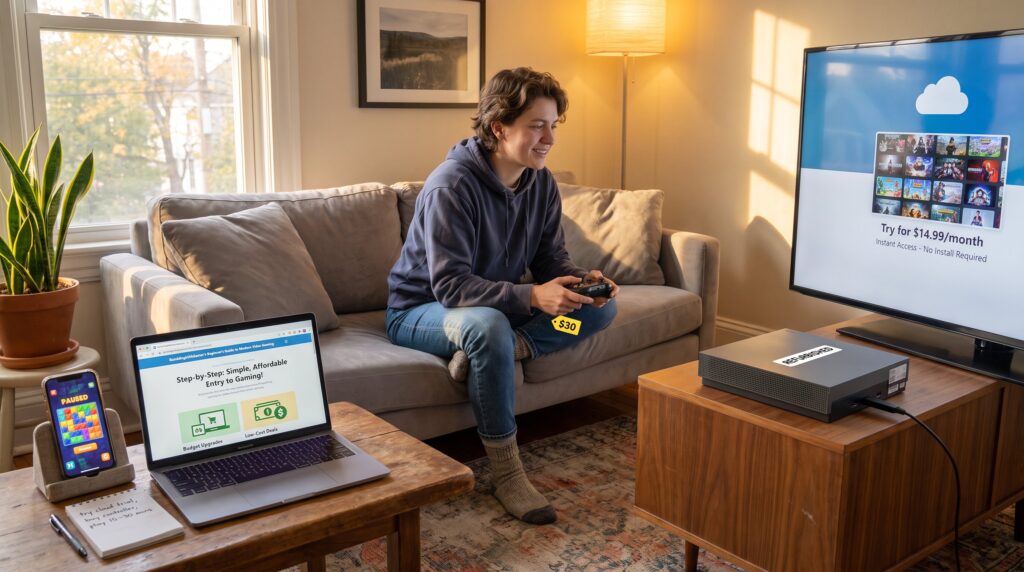
Many newcomers buy gear prematurely. A better path is to test with existing devices: use a TV and a retail console or your laptop/phone for a month. A stable home internet and a wired or reliable Wi‑Fi connection make online play playable: a single evening of lag can sour a new player. Key low-cost purchases that improve play: a comfortable controller or a budget gaming mouse, a headset with clear mic, and a decent screen (24–32″ for PC or an HDTV for consoles).
Settings matter more than specs at first. Use in-game graphics presets, enable subtitles, and lower resolution or shadow detail if frame rates dip. That yields smoother control and less frustration. For budget planning, subscriptions like Xbox Game Pass, PlayStation Plus, or Apple Arcade can let a new player try dozens of titles for $10–15 per month instead of buying many full-price games up-front. RamblingsOfAGamer.com’s overview of releases can help time purchases: Ways To Keep Up.
Concrete example: A player who kept their first controller and spent $10 on a headset reported clearer parties and faster teamwork during co-op, those social gains often beat marginal graphics upgrades early on. Warning: don’t buy a high-end GPU or console bundle because of hype: wait until a specific game or social need justifies the cost.
Core Skills To Learn First: Controls, Game Sense, And Progression
Start answer: First practice basic controls, then develop game sense, and finally understand progression systems.
Controls: New players should master movement and camera control in a low-pressure setting, single-player story games or training tutorials work well. Spend an hour on sensitivity and keybindings until turning, aiming, and moving feel natural. For example, lowering mouse sensitivity by 10–20% often improves accuracy for the first 10–20 hours of play.
Game sense: This is pattern recognition. It includes reading objectives, anticipating enemy behavior, and knowing common map routes. A quick exercise: watch a 10-minute match of a multiplayer game, pause at key moments, and ask what the winning team did differently. This focused watching accelerates intuition more than random play.
Progression: Learn how experience points, in‑game currency, equipment tiers, and save systems work in the game you play. Starter-friendly titles teach progression with layered tutorials: pick those. A concrete checkpoint: by the tenth hour in a well-designed game, a player should know where to spend currency and how to upgrade gear without crippling future options.
Vulnerable moment: Many players ignored tutorials and later regretted wasted resources and avoidable deaths. Accept the chore of a short tutorial, it’s often the fastest route to consistent fun.
How To Find Games, Buy Smart, And Use Subscriptions
Start answer: Use curated storefront tags, gameplay videos, and subscriptions to trial games before buying.
Where to look: Browse curated categories on Steam, console stores, and app stores for tags like “beginner-friendly” or “co-op.” Use short gameplay clips and reviews to confirm the core loop, if a 3‑minute clip shows repetitive menus rather than play, skip it. RamblingsOfAGamer’s catalogue helps pick titles that match playstyles: RamblingsOfAGamer.com: A Comprehensive Guide.
Buying smart: Avoid impulse full-price buys. Wait for season sales or bundles: many good games appear in $10–20 bundles within months of release. Subscriptions reduce upfront risk: services like Game Pass let a player try a dozen games in a month for roughly the price of one new title. For mobile, curated services like Apple Arcade remove ads and IAP friction.
Concrete tip: Set a 72-hour rule, if a game still appeals after a day of research and a short demo, buy: otherwise wait for a sale. This rule saved one reader roughly $120 in impulse purchases in a single year.
Practical links: For recommendations on exploring the gaming universe and picking appropriate titles, Ramblings Of A Gamer:.
Where To Meet Other Gamers: Communities, Esports, And Local Play
Start answer: Use Discord and platform communities to find teammates, watch esports to learn, and try local events for in-person play.
Online communities: Discord servers, subreddit groups, and platform social features are primary meeting places. New players should join one friendly server focused on their chosen game and ask to join newbie sessions or co-op nights. For tips on building community awareness and international perspectives on gaming as a social language, consult A Look into Gaming.
Esports and learning: Watching competitive play gives strategic context and helps new players identify role models and common strategies. For a clear primer on what esports is and how someone can watch or join scenes, the explainer at What is esports? A beginner’s guide supports claims about league structures and entry paths.
Local options: Visit LAN cafés, college clubs, or community centers for relaxed meetups. Many cities host monthly gatherings where beginners can borrow gear and try games without committing to purchases. Honest warning: not every online group will be welcoming, look for servers with clear rules and active moderation.
Practical example: A new player who attended a single local meetup found two regular teammates within a month, cutting solo queue frustration by half and increasing weekly playtime from two to five hours.
Conclusion
Clear takeaway: Begin on a console or device you already own, use subscriptions to sample games, and practice controls and game sense in short, focused sessions. Seek community via Discord, local events, and watching esports to accelerate learning. Ramblingsofagamer’s guides and trend pieces can help plan upgrades and pick the right titles as interests deepen. Start small, be patient with mistakes, and treat play as a learning loop, each session should leave a clear, small improvement.