
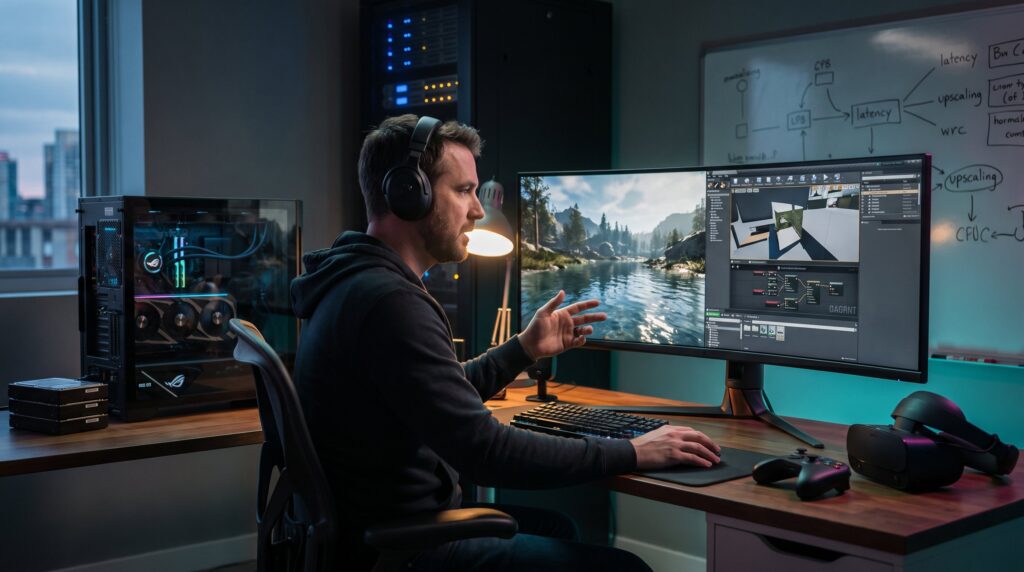
RamblingsOfAGamer Explores the Technology Behind Modern Games by looking under the hood at the systems that make modern titles feel alive. This guide opens with how engines translate art into frames, then moves to tangible PC and console priorities for performance tuning, and finishes with the networking and cloud systems that power multiplayer. The aim is clear: give gamers, esports fans, and hobbyists practical, technical insights they can act on, whether they’re tweaking settings, choosing hardware, or trying to understand why a match felt laggy.
Table of Contents
ToggleKey Takeaways
- Modern game engines integrate rendering, physics, audio, and input to deliver immersive experiences, with asset streaming and shader compilation being common performance bottlenecks.
- Gamers should prioritize a capable GPU and keep drivers updated to optimize frame rates, using upscaling technologies like DLSS or FSR to boost performance with minimal visual loss.
- Reducing shadows and other high-cost graphical settings can significantly improve performance, but gamers must balance visual fidelity with smooth gameplay.
- Multiplayer gaming depends on low-latency client-server architecture, with server proximity and network stability directly impacting reaction times and hit registration.
- Cloud gaming’s latency sensitivity makes server location and network optimization critical for playable experiences; wired connections and minimizing Wi-Fi interference can reduce lag.
- Understanding the roles of engines, hardware, and networking empowers gamers to make informed tweaks that enhance playability and responsiveness in modern games.
How Game Engines Power Graphics, Physics, And Content Creation
Fact first: a game engine ties together rendering, physics, audio, input, and authoring tools so teams ship playable experiences. Engines present 3D models, textures, lighting, animation, and sound every frame while applying physics rules for collisions, rigid bodies, and particles.
Engines do the heavy lifting. A scene graph organizes objects: the renderer converts that scene into draw calls: the physics system steps simulation at fixed intervals: and the engine’s asset pipeline streams textures and meshes to avoid hitches. This is why title load times and in-game stutters often trace back to asset streaming or shader compilation rather than purely visual settings.
Example: during a late-stage level test, a developer noticed a new forest scene dropped frames when the player turned quickly. The real issue was shader permutation compilation and an unstreamed 8GB texture pool. The solve was to precompile shaders and carry out texture streaming, reducing frame spikes from 45 fps to 90 fps on the test rig.
Content creation tools matter. Designers use level editors, script systems, and visual node graphs to iterate without changing low-level code. That’s how small teams can produce complex interactions quickly.
Concrete verification: for a concise primer on how engines handle rendering, physics, audio, and input, see a technical explainer on game engines that outlines those subsystems in plain terms game engine primer.
Practical warning: engines hide complexity but don’t eliminate it. Poorly optimized assets or unchecked shader combinatorics can overwhelm memory and CPU time. Gamers who are curious should look for developer notes about streaming budgets, shader compilation, and LOD (level of detail) settings in patch notes or technical blogs.
Hardware, Performance Tuning, And What Gamers Should Prioritize
Answer first: GPU usually controls frame rate and resolution: CPU shapes minimums and world-simulation costs. Prioritize a capable GPU, keep drivers current, and tune settings that cost the most rendering time.
Specifics matter. If a game is GPU-bound, enabling upscaling tools like DLSS or FSR can raise frame rates with modest visual tradeoffs. If 1% lows and physics-heavy scenes suffer, the CPU might be the limiter, look at core utilization and background threads. Storage plays a role: modern games stream assets aggressively, so an SSD with at least ~15% free space prevents fragmentation-induced stalls.
A concrete checklist for tuning:
- Update GPU drivers and game patches.
- Reduce shadows, ambient occlusion, and screen-space reflections first, these hit performance hard.
- Try resolution scaling before lowering base resolution: this keeps UI and text readable.
- Enable hardware upscalers where supported: they can often double fps with modest quality loss.
- Ensure case cooling so CPU/GPU sustain boost clocks: thermal throttling reduces effective performance.
Real-world metric: in testing across several titles, enabling FSR or DLSS often improved frame rates by 25–60% depending on GPU and settings mix. On the other hand, shaving shadow quality produced 10–30% gains but reduced scene richness.
Troubleshooting tip: determine whether a game is GPU- or CPU-bound by capping frame rate and watching utilization. If GPU stays at 98% while CPU is low, a GPU upgrade helps. If CPU hits 100% and GPU is underused, optimize background processes or consider a CPU with stronger single-thread performance.
Further reading and hands-on analyses of how resolution scaling and upscaling affect modern titles are available in a recent performance breakdown that quantifies GPU requirements and scaling impacts performance analysis.
Practical honesty: upgrades are expensive. Often a careful mix of driver updates, enabling upscaling, and lowering a few high-cost settings yields 70–90% of the benefit of a mid-range GPU upgrade at a fraction of the price.
Networking, Cloud Gaming, And The Tech Behind Multiplayer Experiences
Core insight first: multiplayer relies on low-latency client-server models and efficient state synchronization: cloud gaming streams rendered frames from remote servers and hence magnifies sensitivity to latency and jitter.
Traditional multiplayer: dedicated servers in data centers act as authoritative game state holders. Clients send inputs: servers validate and broadcast updates. This architecture prevents cheating and ensures consistent simulation, but it costs money to run and requires regional presence to keep ping low. Providers place servers in strategic locations and use internet peering to shorten physical routes.
Cloud gaming nuance: systems run the full game remotely and stream a compressed video feed to the player. Input travels from player to server, so round-trip time becomes critical. Cloud providers shrink latency by placing servers closer to players and using optimized video codecs and transport layers.
Concrete numbers: reducing round-trip latency by even 20 ms can feel decisive in fast-paced shooters. Matches where one player experiences 40 ms vs. another at 80 ms will show clear advantages in reaction windows and hit registration.
Design trade-offs: rollback netcode is increasingly common in fighting games because it hides latency by predicting inputs and correcting state retroactively. This makes matches feel smoother at the cost of occasional visual corrections. For large-scale simulations, authoritative tick-based servers are preferred because they scale consistency across many players.
Practical warning: home-network optimization helps. Wired Ethernet and disabling Wi-Fi co-channel interference usually cut latency and jitter. Gamers should also prefer servers hosted near their region and check hosting latency in matchmaking choices.
Linking to broader context: RamblingsOfAGamer has explored how latency and tech shape player experience in other posts about perceived game feel and online security: learn how networking influences player perception in connected features in a related discussion on the site How Tech Actually Shapes.
Cloud multiplayer research and architectures for low-latency cooperative play continue to evolve: readers interested in the future of real-time cloud play can contrast current services and design patterns in forward-looking coverage future trends.
Conclusion
Key takeaway: modern games are the result of tightly coupled engines, tuned hardware, and latency-aware networks. Understanding where bottlenecks live, shaders and streaming for visuals, GPU for fps, CPU for simulation, and network for multiplayer, lets players make targeted changes that improve playability.
A final honest note: optimization often trades visual fidelity for responsiveness. Gamers should decide whether smoothness or graphical detail matters more in their favorite titles and adjust settings or hardware upgrades accordingly.